One shopping list for the whole family
Ghar ki zaroorat, sabki list.
Everyone at home adds what's needed. SabKiList remembers what your home buys, reminds you what's running low, and gives you one clear list for the kirana, the market or any delivery app.
- Works offline in the shop
- English, हिन्दी, मराठी
- No app store needed
Sound familiar?

“Did anyone buy milk?”
Requests get buried in the family group, and two people end up buying the same thing.

Back home, dal forgotten
The one thing you went for is the one thing that didn't come home.
Same list, every week
Every trip starts from memory, even though your home buys the same things.
Why not just a notes app or the family chat?
They're great for notes and messages. SabKiList is built for one job: getting your home's shopping right.
Swipe the table to compare all four →
| SabKiList | Notes & to-do apps | Family chat | Delivery app cart | |
|---|---|---|---|---|
| One list the whole home shares | Yes | Partly | No | No |
| Suggestions from what your home buys | Yes | No | No | Partly |
| Works in the shop without signal | Yes | Partly | Partly | No |
| Use it for any shop or app | Yes | Yes | Yes | No |
| Indian items in English, Hindi and Marathi | Yes | No | No | Partly |
| Remembers your past shopping trips | Yes | No | No | Partly |
| Reminders before you shop | Yes | Partly | No | No |
| Send each local shop its items | Yes | No | Partly | No |
| Daily milk and maid account | Yes | Partly | No | No |
Delivery apps are great for ordering. SabKiList helps you plan first, then shop wherever you like.
Everything you need before you shop
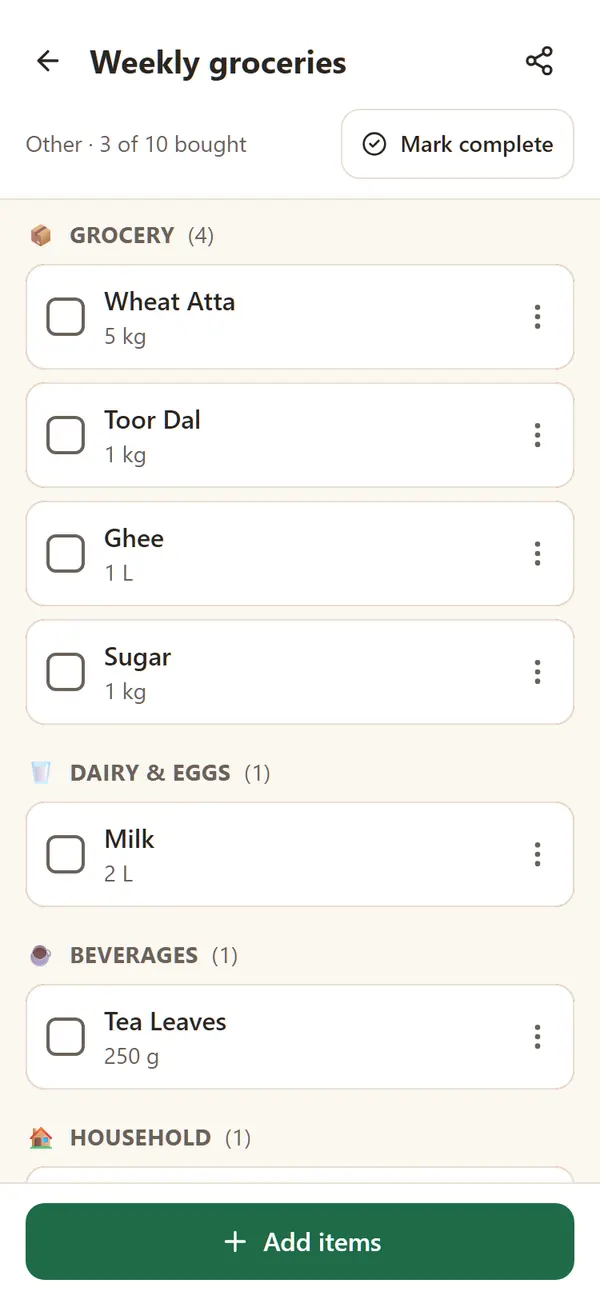
One list, everyone adds
Items are grouped by category, so the shop run is quick. Tick things off as you go, even without signal.
- Grouped by category
- Tick as you shop
- Works offline
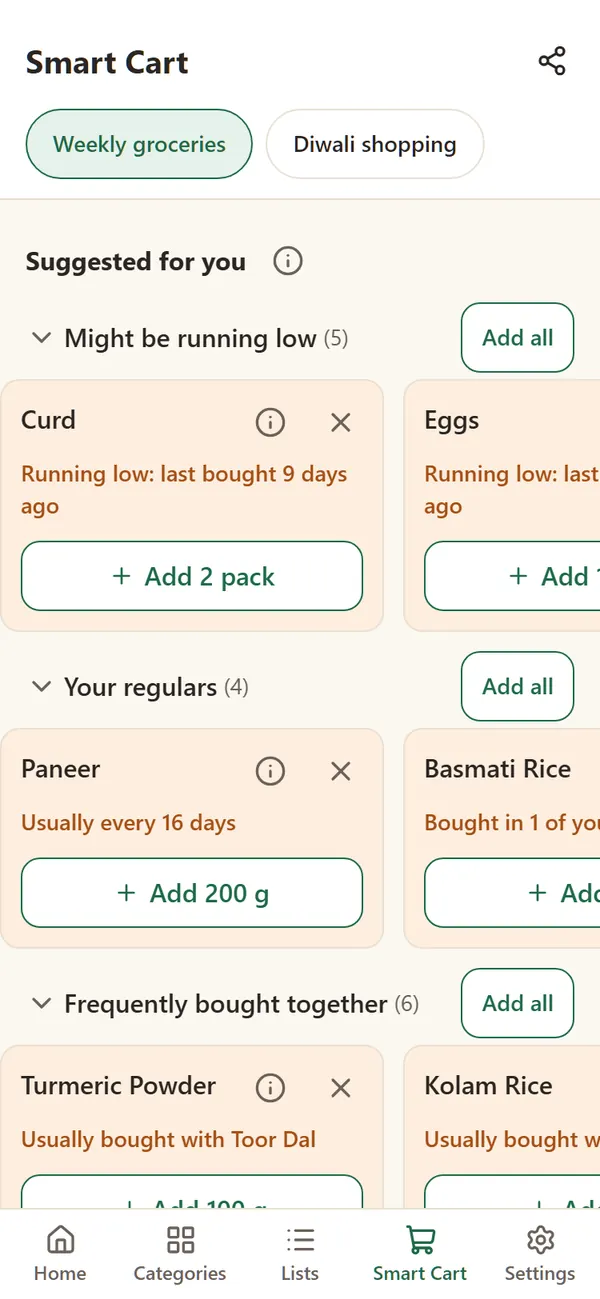
Smart Cart remembers for you
Based on your own home's shopping: what's running low, your regulars and what usually goes together. You decide what to add; nothing is added for you.
- Running low
- Your regulars
- Bought together
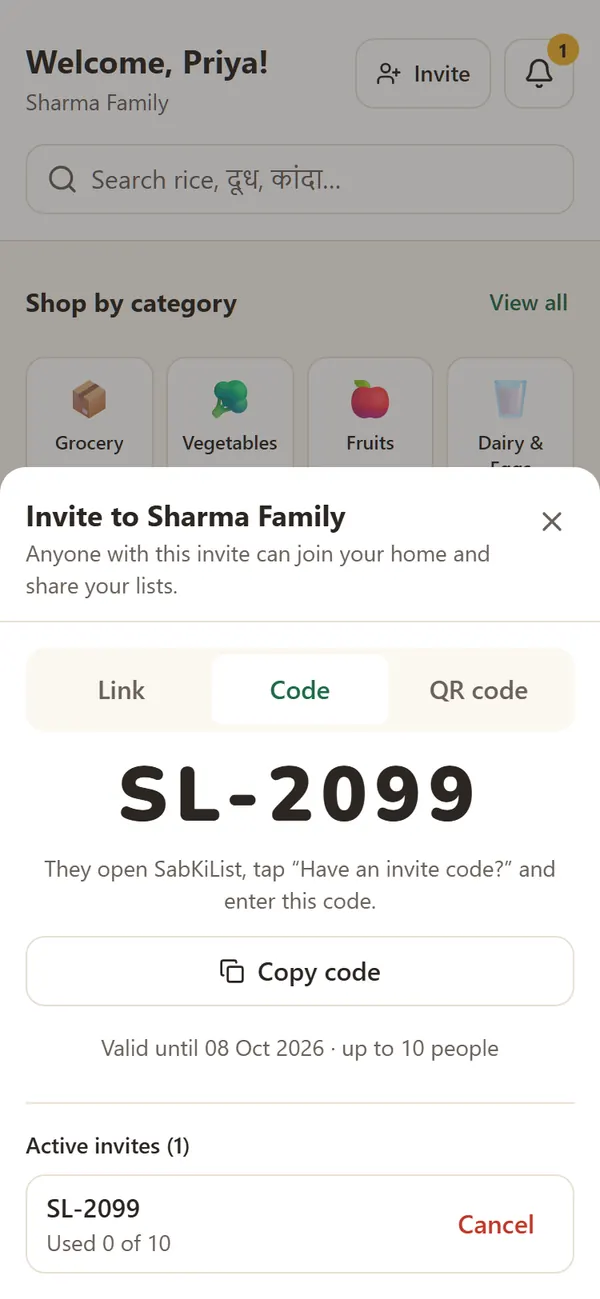
Bring the whole family in
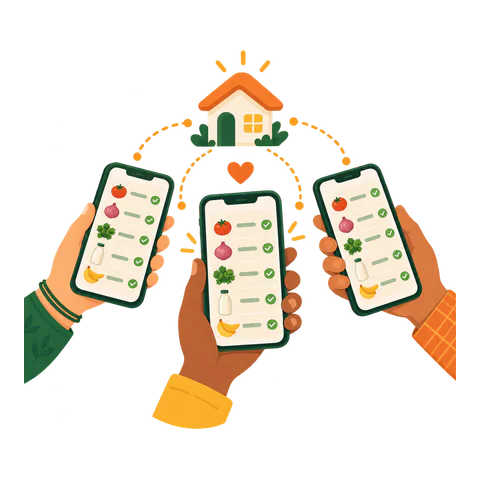
Invite with a link on WhatsApp, a short code or a QR code. Everyone sees the same list on their own phone.
- Link
- Code
- QR code
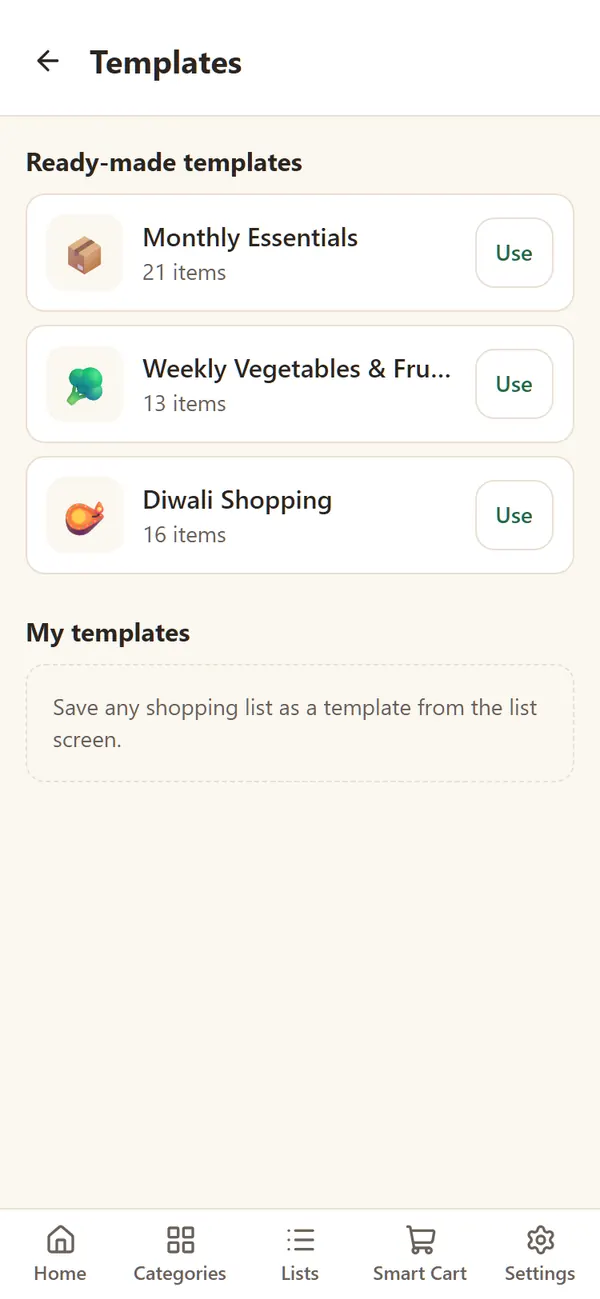
Monthly ration in one tap
Start from ready-made lists like Monthly Essentials or Diwali Shopping, or save any list as your own template.
- Monthly Essentials
- Festival lists
- Your own
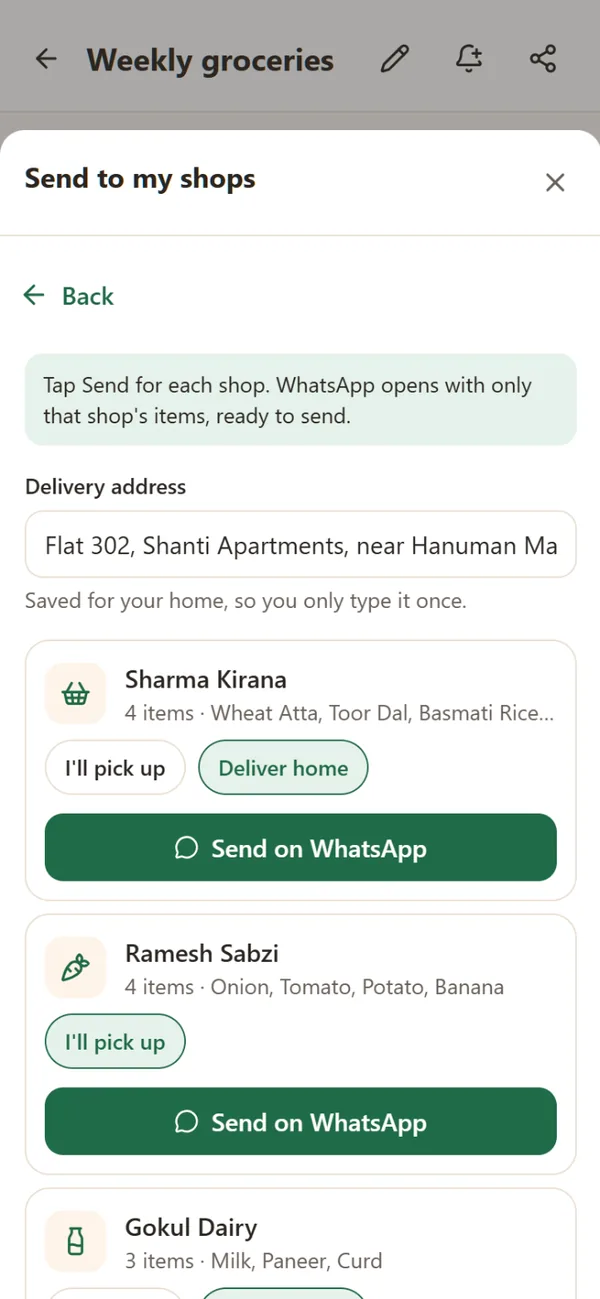
Each shop gets only its items
Save your kirana, sabziwala and dairy once. One tap splits the list by category and sends each shop just its part on WhatsApp, for delivery or pickup.
- Split by category
- Delivery or pickup
- Address saved once
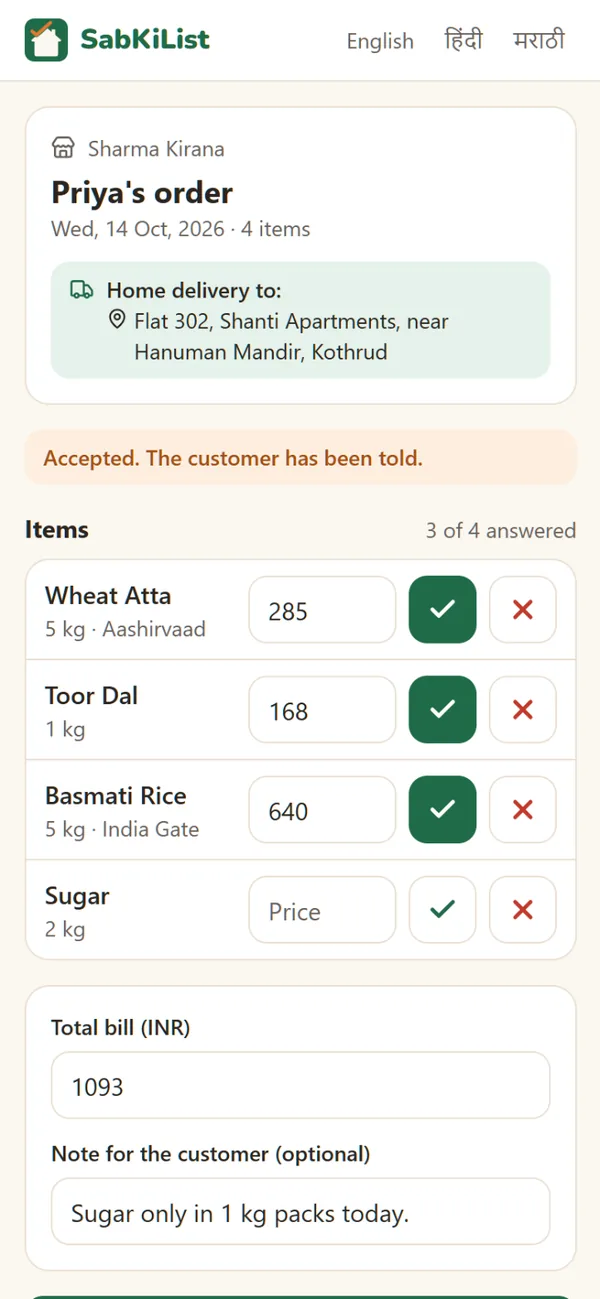
The shop answers, you see it
The message carries a link. The shop ticks what it has, adds prices, and marks the order ready or on its way, with no app and no login. You get a notification.
- Ticks and prices
- Ready or on its way
- No app for the shop
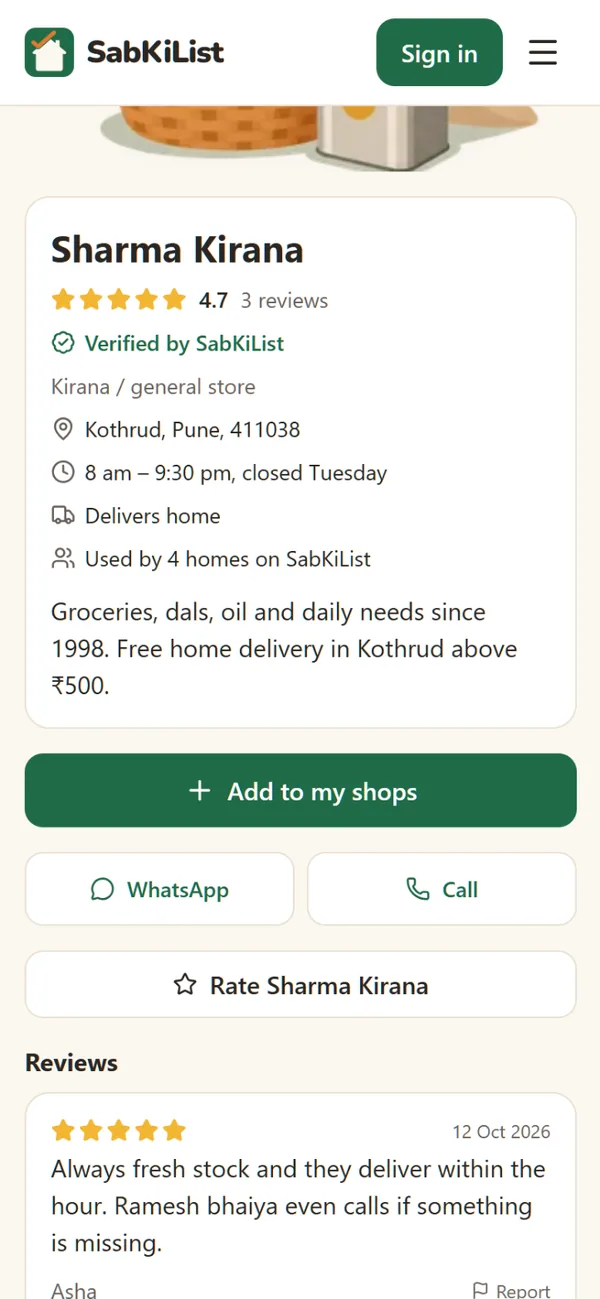
Find verified shops near you
Search your pincode for local shops SabKiList has checked. See ratings from families the shop has served, then add it to your shops in one tap.
- Verified badge
- Real customer reviews
- Search by pincode
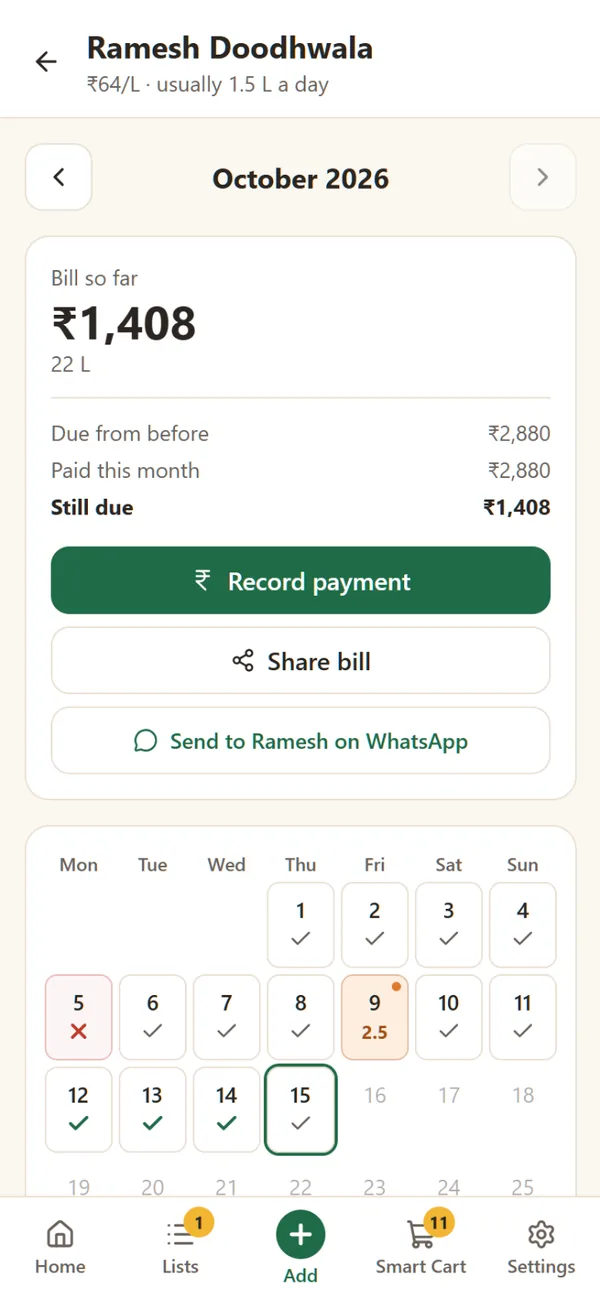
Milk, maid, newspaper: counted for you
Every day counts as usual unless you mark it. Tap when the doodhwala doesn't come or brings extra; the monthly bill adds itself up, with payments and what's still due.
- Mark only changes
- Monthly bill
- Send it on WhatsApp
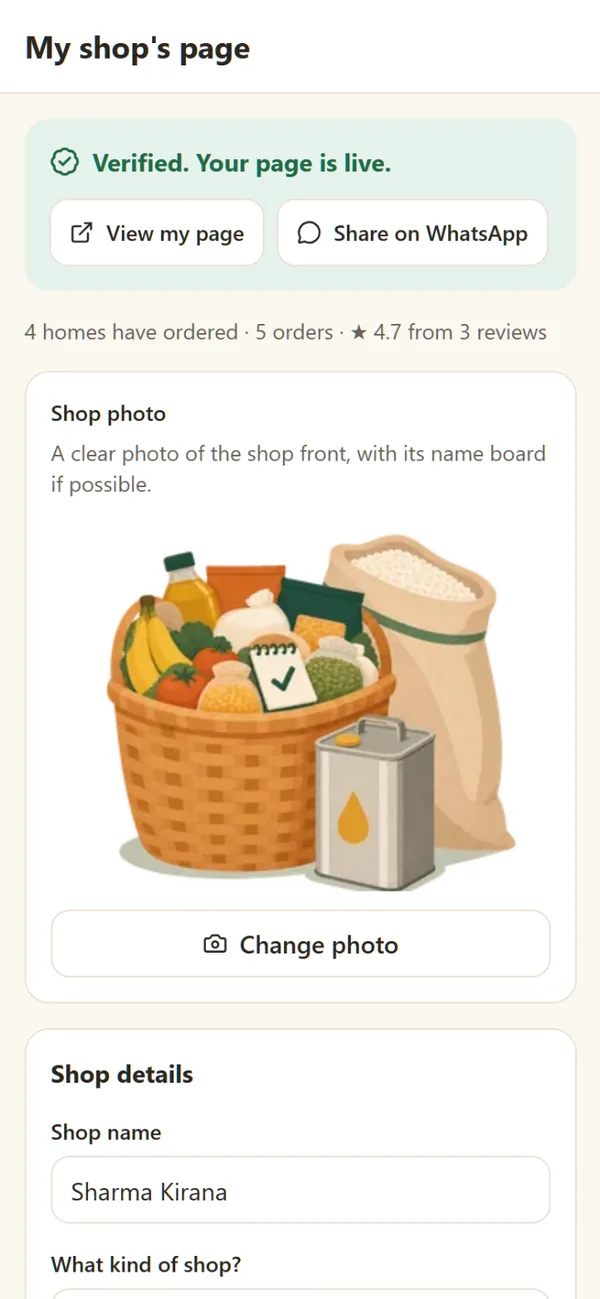
Run a kirana, sabzi or dairy shop? Get orders the easy way
Families already plan their shopping on SabKiList. Get a free page for your shop and receive clear orders on WhatsApp, with only the items you sell.
- Clear orders, only your itemsNo more decoding long messages. Each order lists just what you sell, with quantities, brands and the delivery address.
- Tick, price, doneOpen the link in the order, tick what you have, add prices and tap Ready or Out for delivery. The family is told at once.
- A verified page families can findShow your photo, hours and delivery area. Once we've verified your shop, families searching your pincode can find you and add you.
- Free, no commissionSabKiList never takes a payment or a cut. Orders and money stay between you and your customers.
Takes 2 minutes. We verify every shop by phone before its page goes live.
Small things that save a trip
Reminders
A nudge on the day you shop, for you or the whole home, and a Sunday note when your regulars are running low.
Paste a WhatsApp list
Copy the list from the family chat and paste it in. SabKiList matches the items for you to check.
Monthly spending
See what your home spends each month and on what, from the prices you add.
Ready for festivals
Smart Cart suggests what you will need before Diwali, Holi, Ganesh Chaturthi and other festivals.
Split costs with flatmates
Record who paid for each trip and see who owes whom. Settle up by cash or UPI, outside the app.
“I’ll get this”
Claim items while shopping so two people don’t buy the same thing, and see who did what at home.
Cook it, then shop it
Browse recipes, add the ingredients you are missing to your list in one tap, and write and share your own.
Cook mode
Big steps, one at a time, with the screen kept awake while your hands are busy.
Recipes that shop for you
Pick a recipe, choose how many people you are cooking for, and add only the ingredients you are missing to your list.



How it works
- 1
Create your home
Sign in with Google on any phone. No new password to remember.
- 2
Invite your family
Share a link, a code or a QR code. They join in seconds.
- 3
Plan together, shop anywhere
Share the final list on WhatsApp or take it to the shop. It works offline.

Made for Indian homes

340+ everyday items
From atta and toor dal to detergent, with the names you actually use.
Your language
Use the app and search items in English, हिन्दी or मराठी.
Works on any phone
Add it to your home screen and it opens like an app. No app store, little storage.
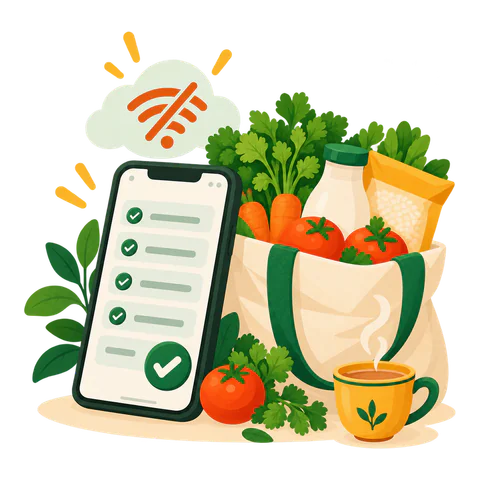
No signal? No problem
Keep ticking items in the market. Changes sync when you're back online.
Install SabKiList on your phone
It takes 10 seconds. No app store, and it uses very little space.
- 1
Open the menu
Open sabkilist.com in Chrome and tap ⋮ at the top right.
- 2
Add to home screen
Tap “Add to home screen” (some phones say “Install app”), then tap Install.
- 3
Open it like an app
SabKiList is now on your home screen. It works even without internet.
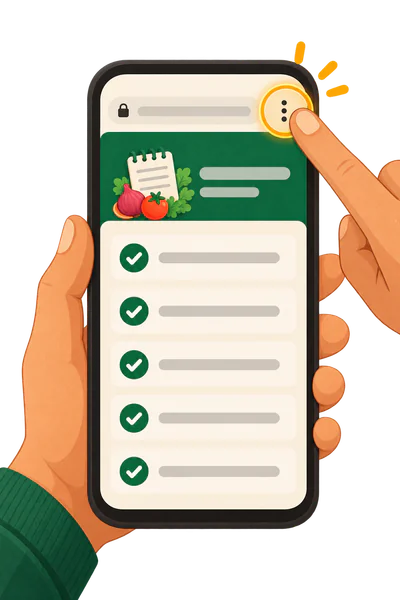
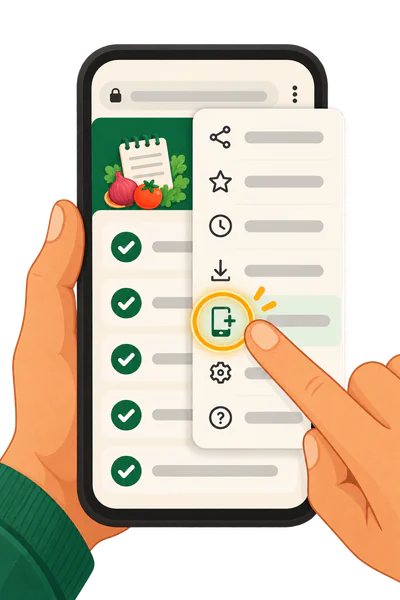

Using another browser? Open sabkilist.com in Chrome on Android or Safari on iPhone to install it.
Coming soon
We're building SabKiList with families like yours. Here's what's next.
Add by voice
Say “do kilo pyaaz” and it’s on the list.
Pantry tracking
Keep track of what’s already at home, so your list knows what’s missing.
Plans can change. We'll share updates in the app.
Your data stays private
SabKiList uses Google Sign-In only to create your account with your name, email address and profile photo. Your lists are visible only to members of your home. Usage data is collected only if you allow it, and we never sell your data. Read our Privacy Policy.
Questions
Is SabKiList free?
Yes. SabKiList is free to use, with no ads.
Do I need to install an app?
No. Open sabkilist.com in your phone's browser. You can add it to your home screen, and it opens like an app.
Can I order groceries through SabKiList?
You plan here and buy where you like. To order from your local shops, save them in My shops: SabKiList sends each shop only its items on WhatsApp, and the shop can answer on a simple order page. Payment is always between you and the shop.
Does it work without internet?
Yes. Lists you've opened stay on your phone, and changes you make offline sync when you're back online.
Who can see my lists?
Only the people you invite to your home. We never sell your data.
Can flatmates split the costs?
Yes. Turn on Split costs in Settings → Home. Record who paid for each trip, and SabKiList shows who owes whom. Money is paid outside the app, by cash or UPI.
Can I add my own recipes?
Yes. Write a recipe with photos and keep it private, share it with your home, or publish it for everyone on SabKiList. Public recipes can be liked, commented on and reported, and you choose whether your family name is shown.
Who can see my recipes?
Only you, until you share one. A recipe shared with your home is seen by its members. A public recipe can be opened by anyone with the link, even without an account. Your own name is never shown, only your family name if you allow it.
Which languages are supported?
English, Hindi and Marathi. You can switch any time in Settings.
How do local shops get my order?
On WhatsApp, from your own phone. Each shop gets a message with just its items and a link. It doesn't need the app: it opens the link, ticks what it has and marks the order ready or on its way, and you see it in your list.
I own a shop. How do I join?
Tap "Get your shop's free page", sign in with Google and enter your shop's name and WhatsApp number. Add a photo and your area, then ask for verification: we check your GST, FSSAI or Udyam number and call your shop before the page goes live. It's free.
What is Daily services?
A simple account for things you pay for every day or month: milk, newspaper, ironing, water cans, the maid or the cook. Every day counts as usual; you only mark changes, and SabKiList works out the monthly bill.
Start your family list today
It takes a minute to set up your home and invite everyone.